Inventory management
you can trust, in every location.
One number per product per warehouse and branch, a paper trail behind every move, and a barcode scan that updates all of it — so your customers order from what is really on the shelf.
What is manual stock admin costing you? Work it out in two minutes


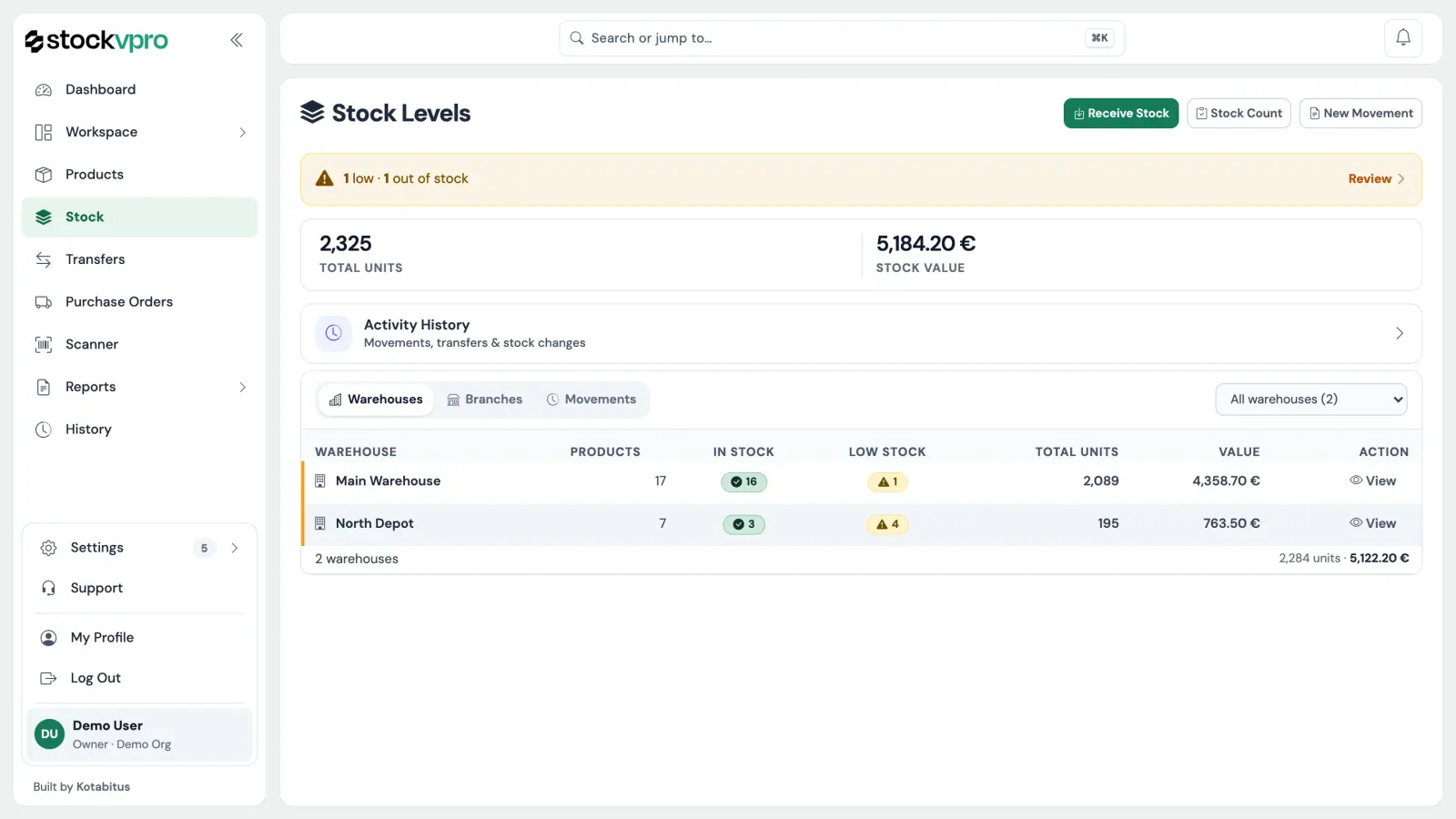
Open it in the morning and you already know.
What moved yesterday, what is running out, what it is all worth, and which locations are holding it. Nothing to run, nothing to export.
- Totals you can trust. One row per product per location, so the number at the top is the sum of the rows under it and not an estimate.
- Low stock finds you. Anything under its minimum rises to the top of the page instead of waiting to be searched for.
- Yesterday in one line. Every receipt, shipment and transfer counted and dated, next to the person who did it.
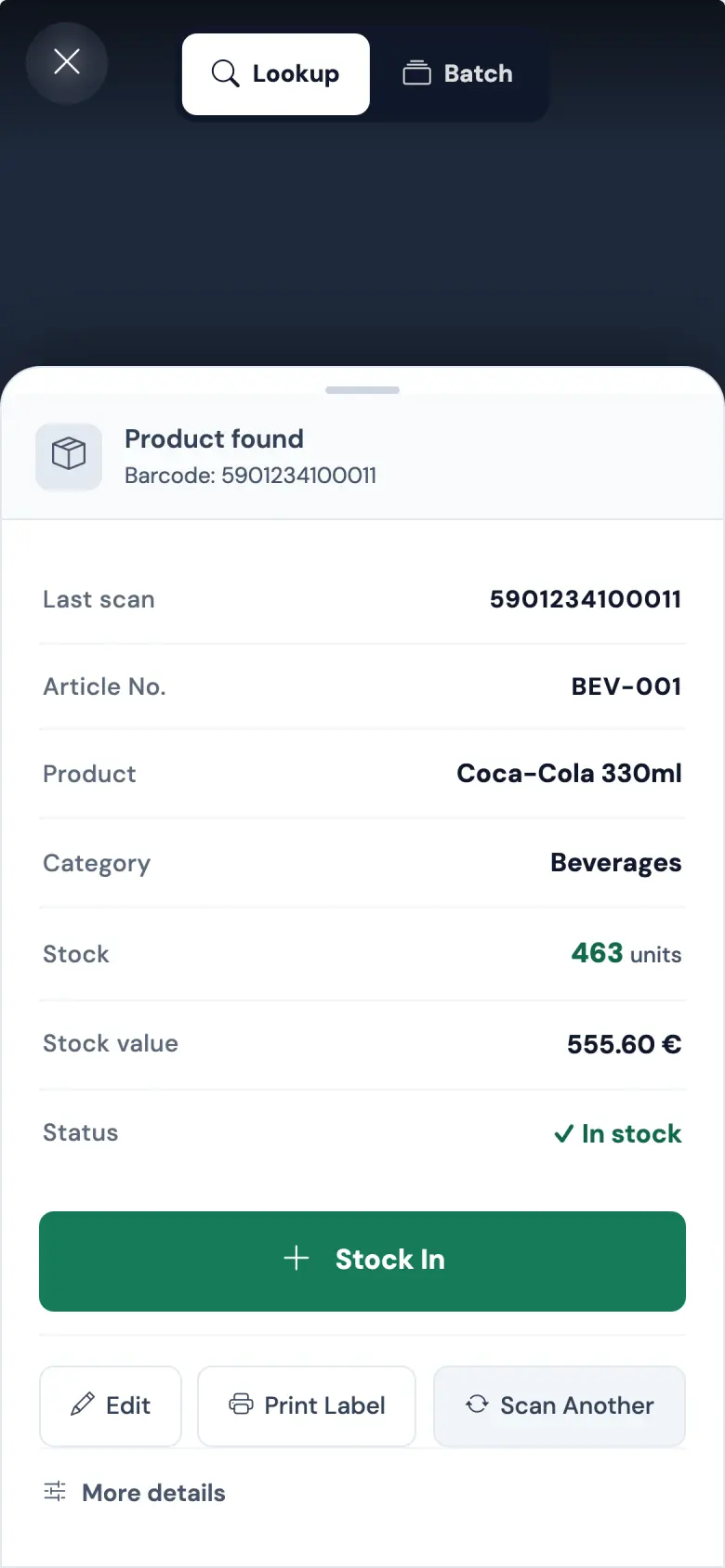
Your phone is the scanner.
Open the page, point the camera at a barcode, hear the beep. There is no app to install and no hardware to buy — the scanner is a URL.
- Receive against a purchase order. Scan what turned up; the order keeps track of what is still outstanding, and the stock is booked as it arrives.
- Count without closing. Walk the shelves scanning; the counted numbers replace the expected ones in one step, with a count report to file.
- Works where the signal does not. Scans queue on the phone and commit when it reconnects, and a replay cannot double-count them.
One workspace, five jobs.
The catalogue, the floor, the supplier, the customer and the crew — same data underneath.
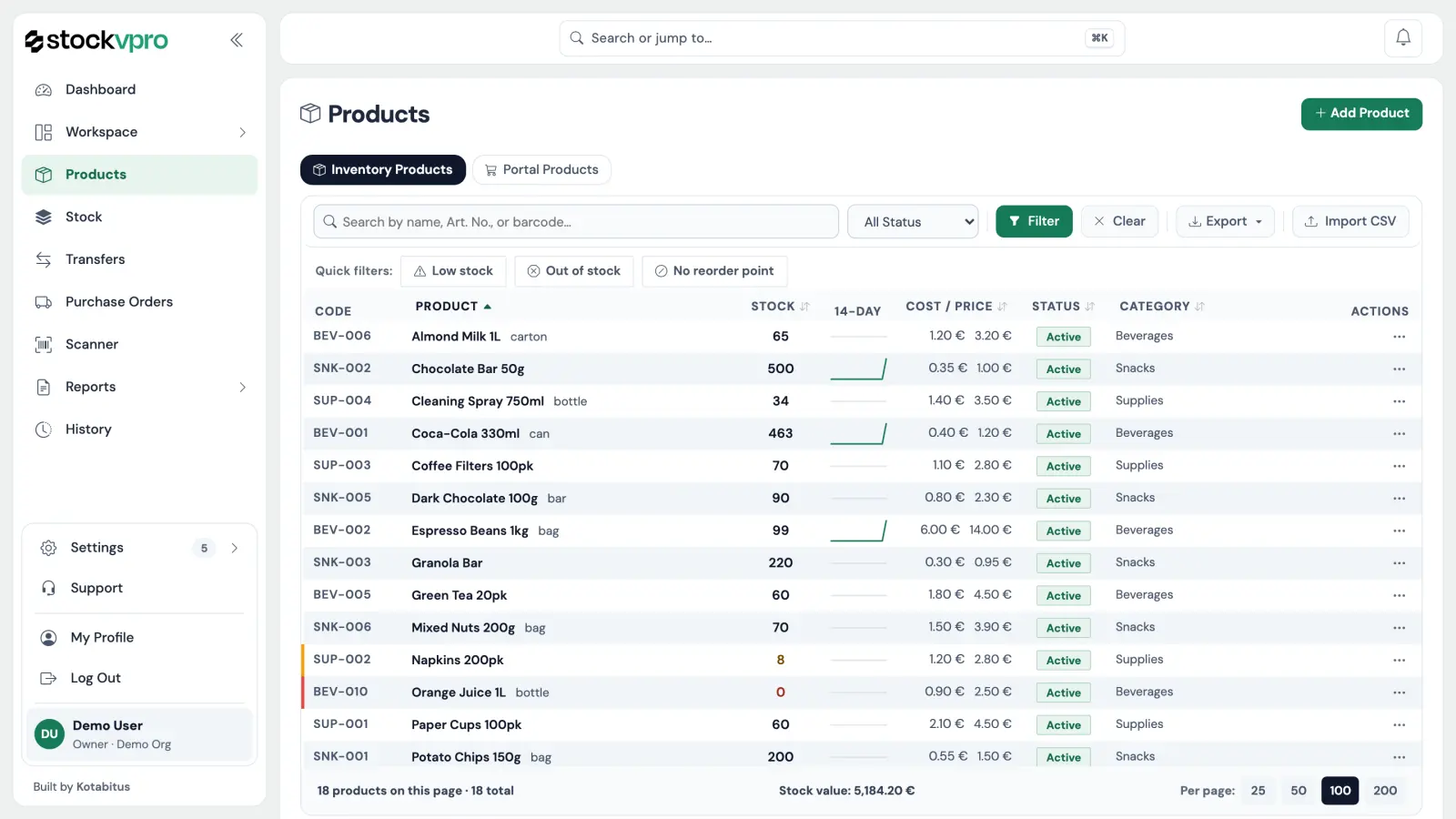
One catalogue. Article numbers, barcodes, suppliers, categories, and cost against sell price.
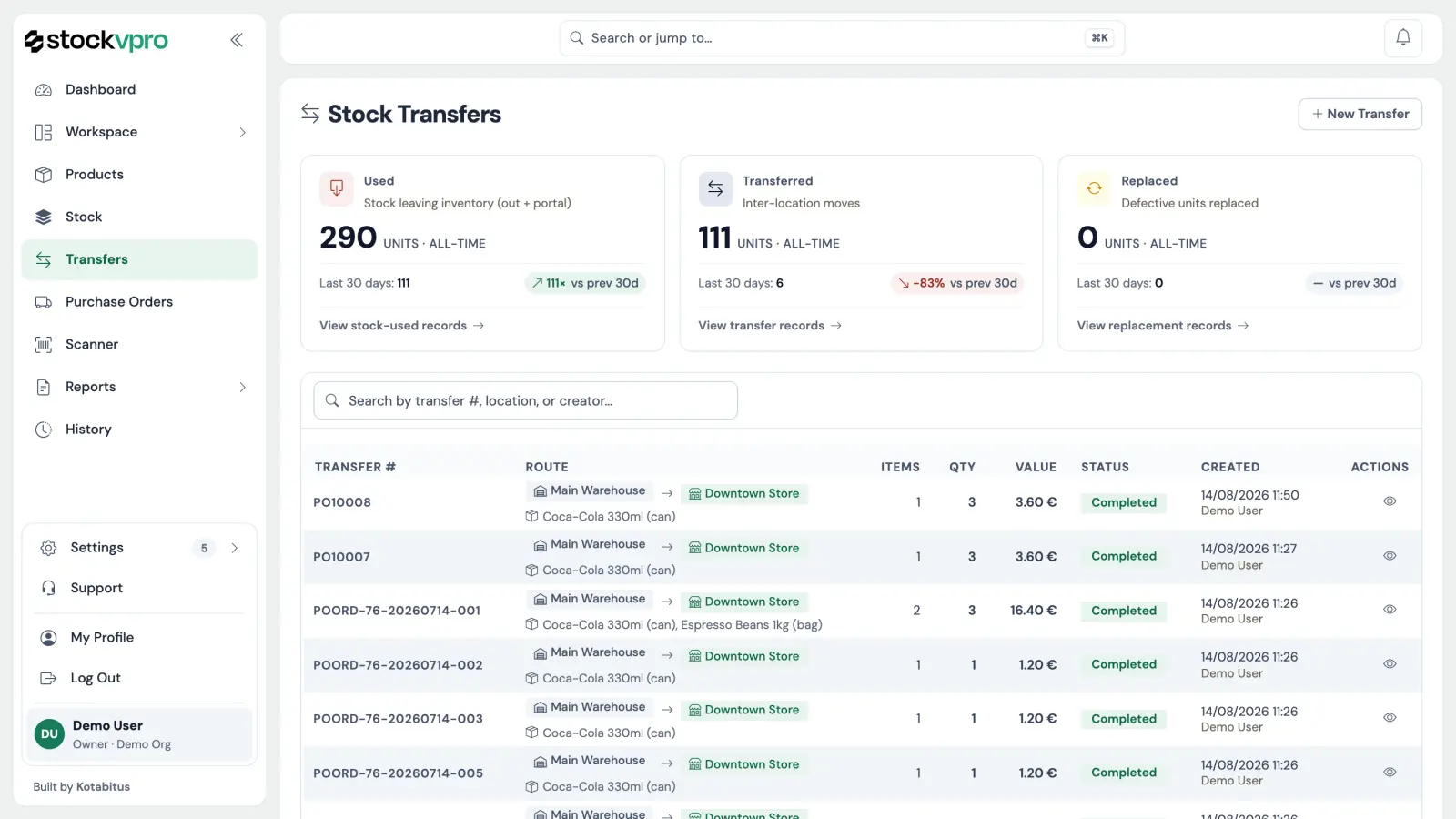
One row per product per location. Move goods between them and the arrival closes the transfer.
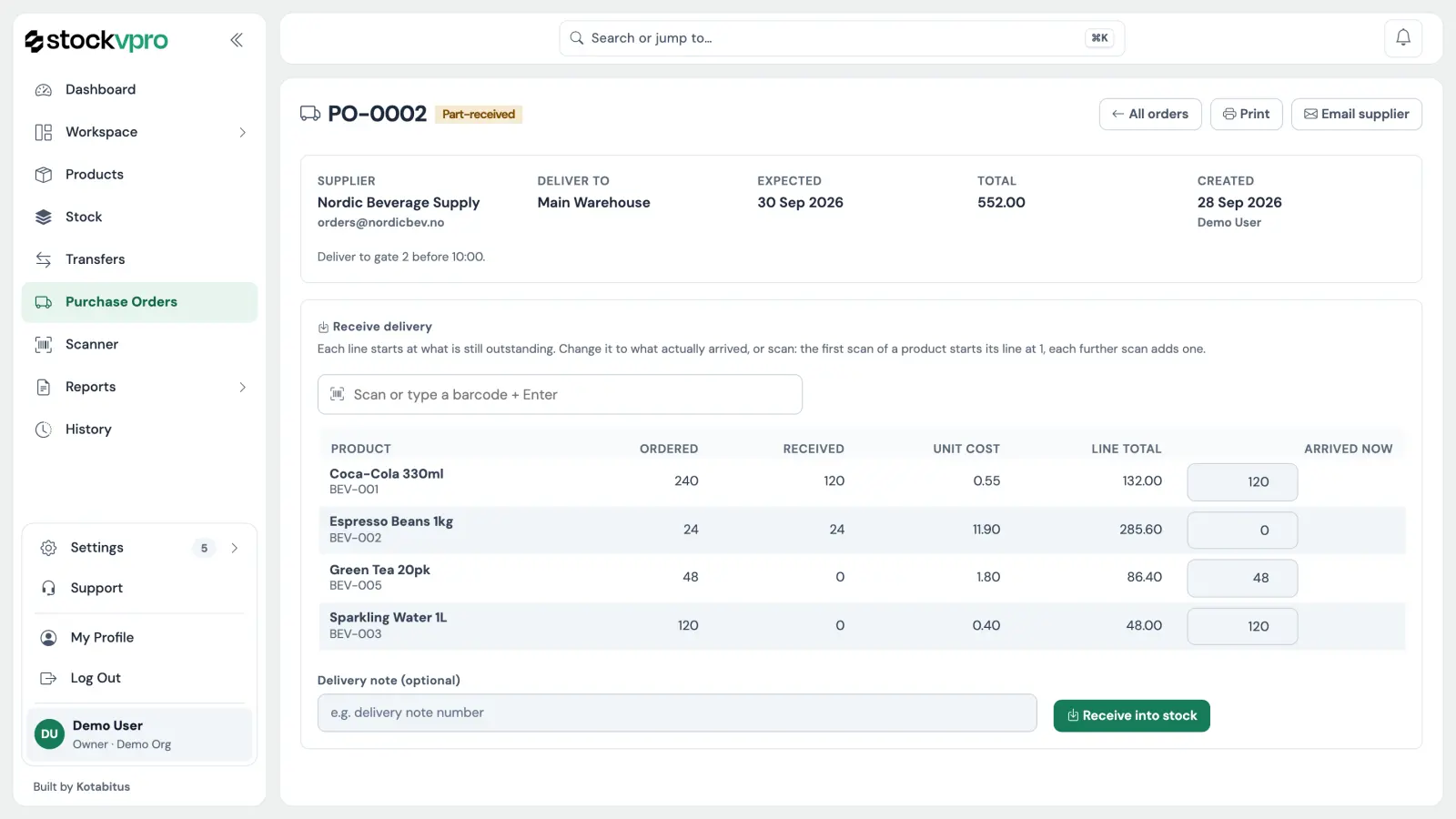
Order from suppliers, receive the delivery by scanning it in, and let the reorder report draft the next order for you.
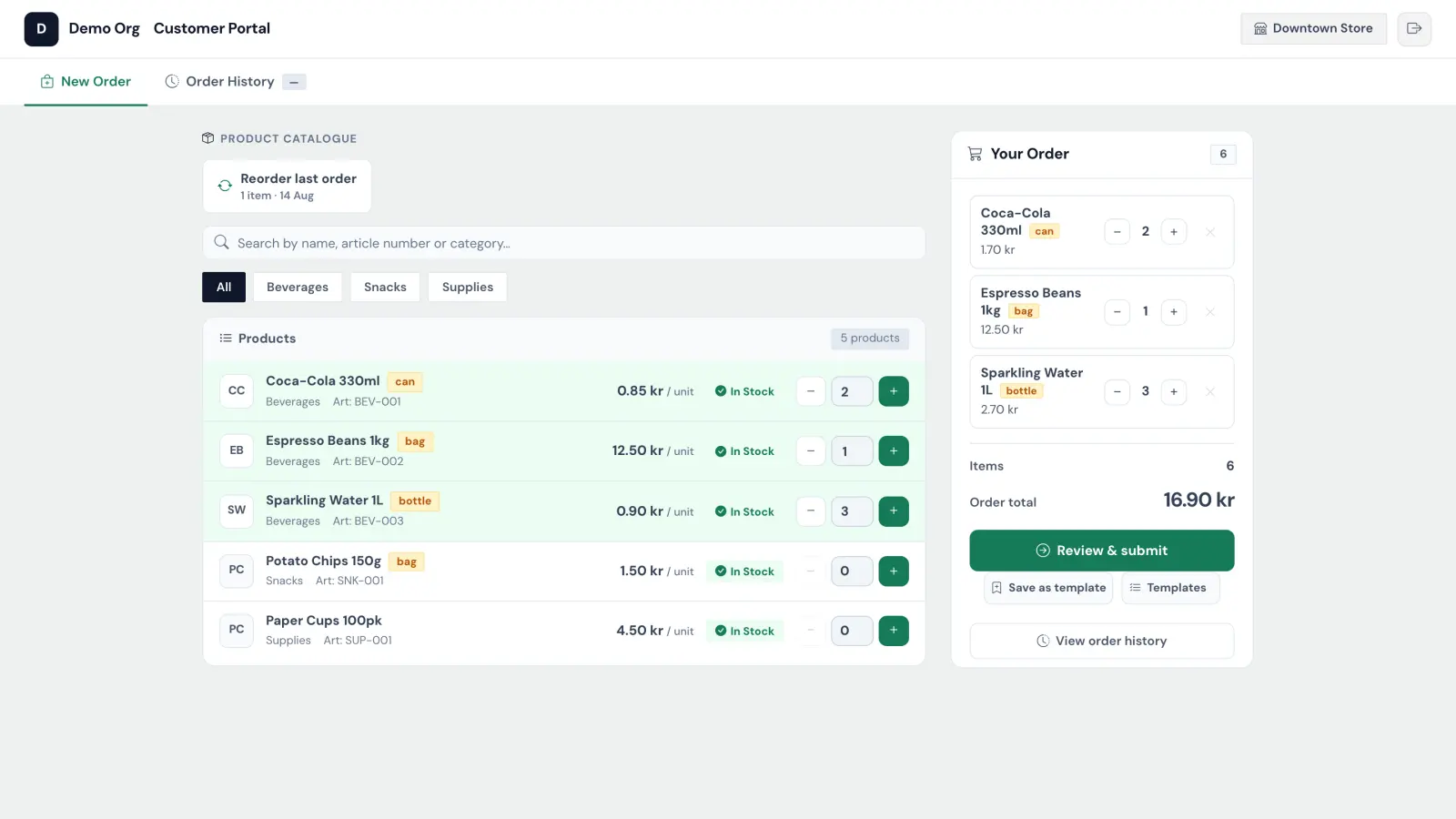
Your branches and business customers order from your catalogue, at their prices, in their own login.
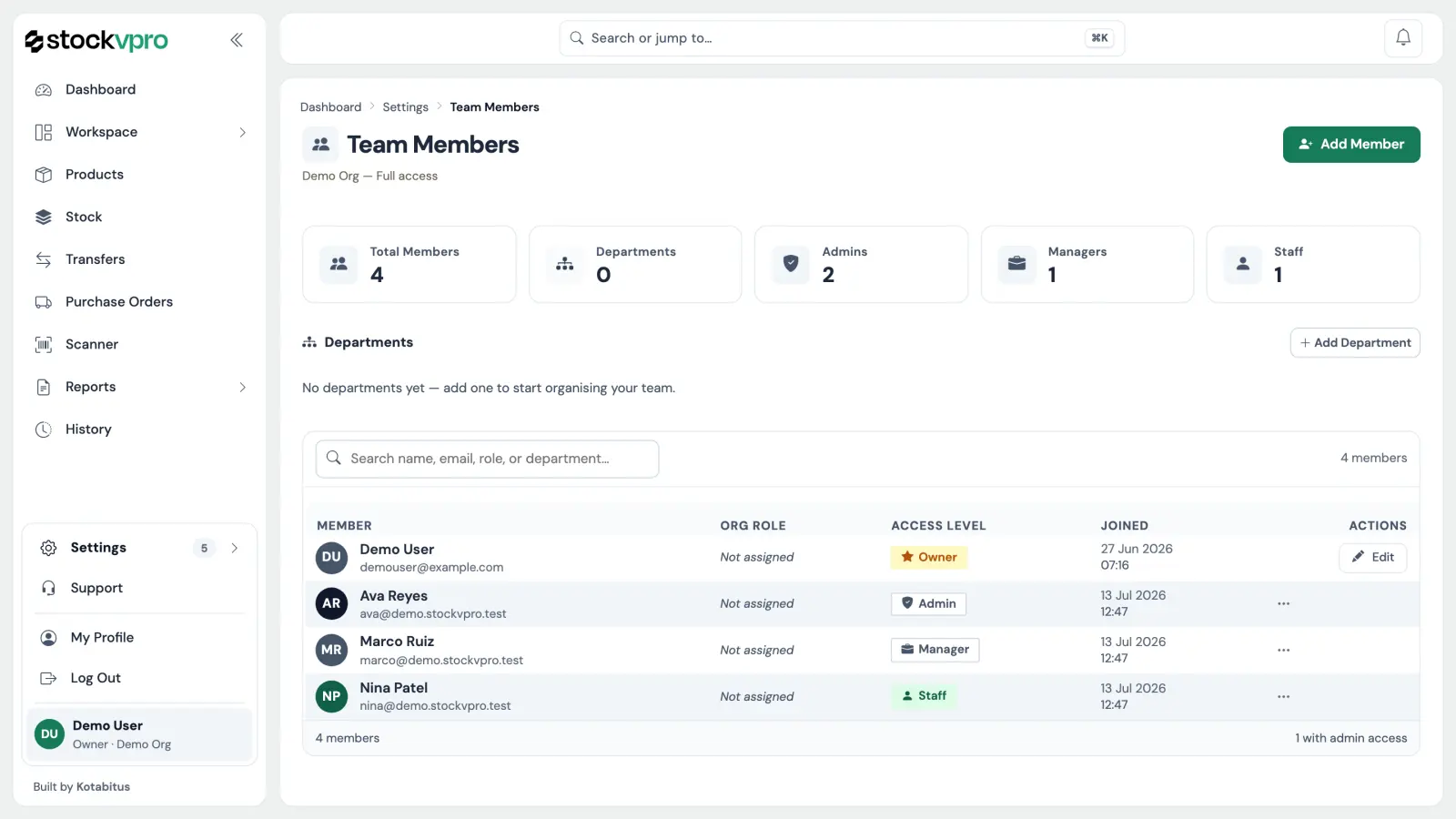
Admin, manager, staff. Permissions per person, and two-factor on the accounts that need it.
What does manual stock admin cost you?
Put in your locations, stock counts, phone orders and write-offs, and see the staff hours and money it takes in a year. Nothing you type leaves the page.
Work out your costBuilt and run by Kotabitus.
stockvpro is not a reseller's white label. I wrote it, and I run the servers it lives on.
- Your workspace stays yours. Every query is tied to your organisation, and a guard underneath refuses any query that is not, so one company never sees another's data.
- Sign-in that holds up. Passwords are stored as bcrypt hashes, never as text, and two-factor with an authenticator app is there for every account.
- Backed up every night. The database is copied nightly, and the newest copy is checked every week so a bad one is caught before it is needed.
- Stored in the EU. Data lives on servers in the European Union, handled under the GDPR. The privacy policy says who touches it and why.
- Your data leaves with you. Download your products, stock and purchase orders as CSV whenever you like, without filing a ticket.
- Honest about the beta. It is free while it is in beta. If paid plans come, you get advance notice and are never charged without choosing a plan (terms, section 2).
Everything above is the actual app.
Not a mock-up and not a demo tenant. Create the workspace and it is the one in these screenshots, empty and waiting for your first product.
Questions, answered
What stockvpro is — and, just as often asked, what it isn't.